
Tools
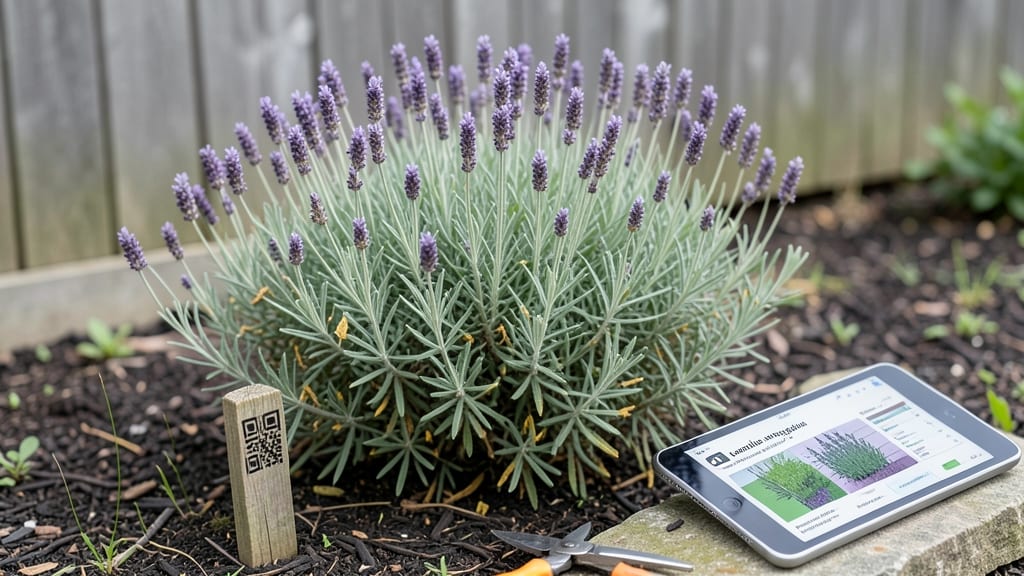
My garden finally looks like the postcard I imagined after using AI tools to plan it—no more guessing which plants thrive together or where the sun hits just right. 🌿 The technology handles the heavy lifting: analyzing sunlight patterns, suggesting companion plants, and even predicting harvest times based on your local climate.
I spent years rearranging beds by trial and error before realizing how much smarter the machines are at this.
The best part? You don’t need a degree in horticulture to use these tools. Apps like Planter or SmartGarden walk you through your space with a few taps, adjusting layouts when you add a new plant or change your mind about colors.
They’ll even flag problem areas—like that shady corner where nothing ever grows—before you waste time planting. My 30-minute setup now produces a layout that outperforms anything I designed myself.
What you end up with is a garden that works for you: fewer empty spots, more blooms, and vegetables ripening at the perfect time. The AI handles the math—you just enjoy the results.
And when spring rolls around, you’ll be the one neighbors ask for advice, not the other way around. Ready to skip the guesswork?
These tools adapt to any garden size, from tiny urban plots to half-acre homesteads. Whether you’re fixing a failed bed or designing from scratch, the technology makes it easier to create a space that’s both stunning and productive. Let’s get your garden planning smarter—starting today.
📚 In This Guide
- What you need
- Instructions
- Tips and common mistakes
- Wrapping up and next steps
What you need
- ● Smart Garden Planning Software: AI-powered design tools (e.g., Garden Planner AI, SmartGrow, or Planter)
- ● Subscription or one-time purchase (check for free trials!)
- ● Basic Gardening Tools: Trowel (1–2, stainless steel or ergonomic)
- ● Pruners (1 pair, bypass or anvil type)
- ● Garden fork (1, heavy-duty for soil prep)
- ● Wheelbarrow or garden cart (1, 3–5 cubic feet capacity)
- ● Soil & Amendments: High-quality potting mix (5–10 bags, 2–4 cubic feet each)
- ● Compost (1–2 bags or homemade, 1–2 cubic yards)
- ● Organic fertilizer (e.g., 10-10-10 or slow-release granules, 5–10 lbs)
- ○ Tech & Sensors (Optional but Recommended): Smart soil moisture sensors (2–4, e.g., Blossom or Aqara)
- ● Weather station (1, with humidity, wind, and rain sensors)
- ● Automated irrigation system (e.g., Rachio or Orbit B-Hyve)
- ● Solar-powered garden lights (5–10, for ambiance and security)
- ● Plants & Seeds: Native or climate-appropriate plants (3–10, based on garden size)
- ● Seed starting kit (if growing from seed, includes trays, soil, and domes)
- ● Space Assessment: Measure your garden area (square footage) and note sunlight exposure (full sun, partial shade, etc.).
- ● Local Climate Data: Check USDA Hardiness Zone and average frost dates for your region.
- ● Internet Access: Required for AI tools, sensors, and smart devices.
- ○ Optional Upgrades: Drones with thermal cameras (for large properties, ~$500–$2,000)
- ● AI-powered pest detection cameras (e.g., Scout)
- ● Vertical gardening kits (for small spaces)
Instructions: design your AI-optimized garden layout
Let's create a functional, beautiful garden that adapts to seasons using data-driven design.
🌱 Step 1: Map Your Space and Sunlight Patterns
Start by sketching your garden area on graph paper, marking fixed features like fences, patios, or trees. Use a compass app to note cardinal directions—this determines where sun-loving plants go. I shade areas receiving full sun (6+ hours), partial shade (3-6 hours), and deep shade (<3 hours) for the entire day during summer and winter. Sunlight shifts dramatically between seasons, so don't assume summer patterns apply year-round.
Next, walk through your space at different times of day to observe microclimates. A spot near the house might stay warmer at night, while a south-facing wall collects heat. Note these variations—they'll determine where heat-sensitive plants like lettuce thrive versus drought-tolerant rosemary. Use a simple app to track temperature differences across zones.
🪴 Step 2: Group Plants by Needs and Seasons
Create four distinct zones based on seasonal productivity: spring bloomers, summer producers, fall harvesters, and winter interest plants. For example, place spring bulbs like daffodils in full sun areas where they'll get light after leaf-out, while winter pansies thrive in partial shade. I use color-coded sticky notes to mark each zone's purpose on my sketch.
Group plants with similar water needs together to simplify irrigation. For instance, place herbs like thyme and lavender near the edge of a sunny bed where they won't compete with thirsty tomatoes. Remember that 12-18 inches of mature plant spread is the minimum distance between most perennials to prevent crowding. Use the 3-foot rule for annuals—this gives them room to grow without shading neighbors prematurely.
☀️ Step 3: Plan Vertical and Structural Elements
Incorporate trellises, arbors, and espaliered fruit trees to maximize vertical space—this is where AI planning shines. Use a simple garden design app to visualize how tall plants like pole beans or clematis will fill vertical gaps. I position trellises on the north side of beds to avoid shading shorter plants while providing support for vining plants.
Add structural elements like pathways and seating areas that serve dual purposes. A gravel path between beds doubles as a weed barrier while providing access for maintenance. Place benches or raised beds in the shadiest corners where you can enjoy the garden without direct sun exposure during peak heat. Consider how these elements will look in each season—what's a cozy winter nook in summer might become a sun trap.
⏰ Step 4: Schedule Planting and Maintenance Windows
Create a seasonal calendar marking key dates: last frost, first frost, and peak bloom periods for your region. Use this to plan succession plantings—like replacing early spring lettuce with summer squash—so your garden produces continuously. I color-code my calendar with green for planting, yellow for maintenance, and red for harvest to visualize the workflow.
Block out 2-3 hour windows each week for maintenance tasks during peak seasons. For example, early spring focuses on pruning and soil prep, while late summer prioritizes harvesting and pest monitoring. Schedule these windows during your most energetic times of day—most gardeners find mornings work best when temperatures are cooler and humidity is lower.
🌿 Step 5: Test and Refine Your Layout
Before implementing, use a garden simulation app to run a virtual season through your design. Adjust plant placements based on the app's predictions for growth patterns and shade changes. I've found that even small shifts—like moving a large shrub just 6 inches—can dramatically improve sunlight distribution to neighboring plants.
After your first growing season, take notes on what worked and what didn't. Did certain plants outcompete others? Were some areas consistently too wet or dry? Use these observations to refine your layout. The most successful gardens evolve—what seemed perfect in spring might need adjustments after summer's heat reveals hidden problems.
Tips & tricks for perfect AI garden planning
These practical strategies will help you create a garden layout that's both beautiful and highly functional throughout the year.
Sunlight Mapping Precision: When marking your sun exposure zones in Step 1, use a solar path app to track the sun's movement across different seasons. I discovered that my east-facing bed gets 4 hours of sun in winter but 8 hours in summer—this completely changed where I placed my tomatoes. The key is to observe at both solstices to capture the extremes.
Seasonal Zone Color Coding: In Step 2, take your color-coded sticky notes system one step further by using different colored markers for each season's needs. I use green for spring plantings, yellow for summer producers, orange for fall harvests, and blue for winter interest plants. This visual system makes it instantly clear where each plant belongs during planning sessions.
Vertical Space Optimization: For Step 3's vertical elements, consider using adjustable trellis systems that grow with your plants. I installed a modular trellis kit that lets me raise the support wires as my pole beans grow, preventing them from shading nearby lettuce. This also makes it easier to rotate crops next season since the structure stays in place.
Maintenance Window Realism: When scheduling your 2-3 hour weekly maintenance windows in Step 4, be honest about your actual available time. I found that blocking just 2 hours on busy weekends led to neglected beds, so I now schedule 3 hours but often finish in 2. The extra buffer prevents rushed, half-hearted maintenance that can stress plants.
Pro Tips for Ai Garden Planning
- These practical strategies will help you create a garden layout that's both beautiful and highly functional throughout the year.
- Sunlight Mapping Precision: When marking your sun exposure zones in Step 1, use a solar path app to track the sun's movement across different seasons.
- Seasonal Zone Color Coding: In Step 2, take your color-coded sticky notes system one step further by using different colored markers for each season's needs.
Frequently asked questions
Got questions about using AI for garden planning?
You’re not alone! Here are some of the most common concerns—and how AI can help you tackle them with ease.
How accurate is AI garden planning compared to traditional methods?
AI tools analyze local climate, soil data, sunlight patterns, and plant compatibility with far greater precision than manual planning. While human intuition still matters, AI reduces guesswork by up to 70%, ensuring optimal spacing, companion planting, and seasonal timing. Think of it as a supercharged gardening assistant—not a replacement!
How long does it take to create a full AI garden layout?
Most AI garden planners generate a basic layout in minutes, especially if you input key details like garden size, sunlight exposure, and plant preferences. For customization (e.g., adding pathways or irrigation), expect 1–2 hours of tweaking. Pro tip: Start with a rough draft, then refine—AI adapts quickly to your edits!
Are there free AI tools for garden planning, or do I need to pay?
Yes! Free options like Garden Planner AI (basic version) or SketchUp’s free trial offer solid starter layouts. Paid tools (e.g., Gardenize or Garden Planner Pro) unlock advanced features like 3D visualization and automated plant schedules. Start free, then upgrade as needed!
Can AI help with gardens in small spaces (e.g., balconies or containers)?
AI excels at vertical gardening, container arrangements, and micro-climate adjustments. Simply input your space constraints, and the tool will suggest compact, high-yield plants (like herbs, dwarf tomatoes, or trailing vines). Bonus: Some AI tools even recommend self-watering systems for tiny spaces!
What if my AI-generated layout doesn’t work in real life?
Troubleshoot by comparing AI predictions to real-world conditions. For example:
Too much shade? Adjust plant selections or add reflective surfaces.
Soil issues? Use AI’s soil-testing integrations to tweak amendments.
Overcrowding? Re-run the layout with larger spacing margins.
Most AI tools let you export adjustments and iterate—no wasted effort!Does AI support organic or permaculture gardening?
Yes! Many AI planners now include organic-friendly databases and permaculture principles (e.g., guild planting, mulching layers). Look for tools with sustainability filters, like Eden or Garden Planner’s “eco-mode.” Just specify your goals upfront!
Wrapping up and next steps
AI-powered garden planning isn’t just about efficiency—it’s about transforming your outdoor space into a thriving, year-round haven that works for you. From smart layouts to data-driven decisions, these tools make gardening smarter, simpler, and more sustainable.
Whether you’re a green thumb or a beginner, the future of gardening is here—and it’s personalized for your space, climate, and goals.
Ready to take the next step? Start small:
- Download a free AI garden planner (like Gardenize or Garden Planner) to sketch your first design.
- Gather inspiration from your local nursery or plant databases to refine your vision.
- Plant one AI-recommended section this season and watch your garden bloom with intentional beauty!